INTELLIGENCE, INCLUDED

IT Unison AI

AI that knows your IT and plays by your rules. Ask, understand and draft across connected records — with people in control.

Book a demo Included in every staff seat. No AI add-on or token meter.
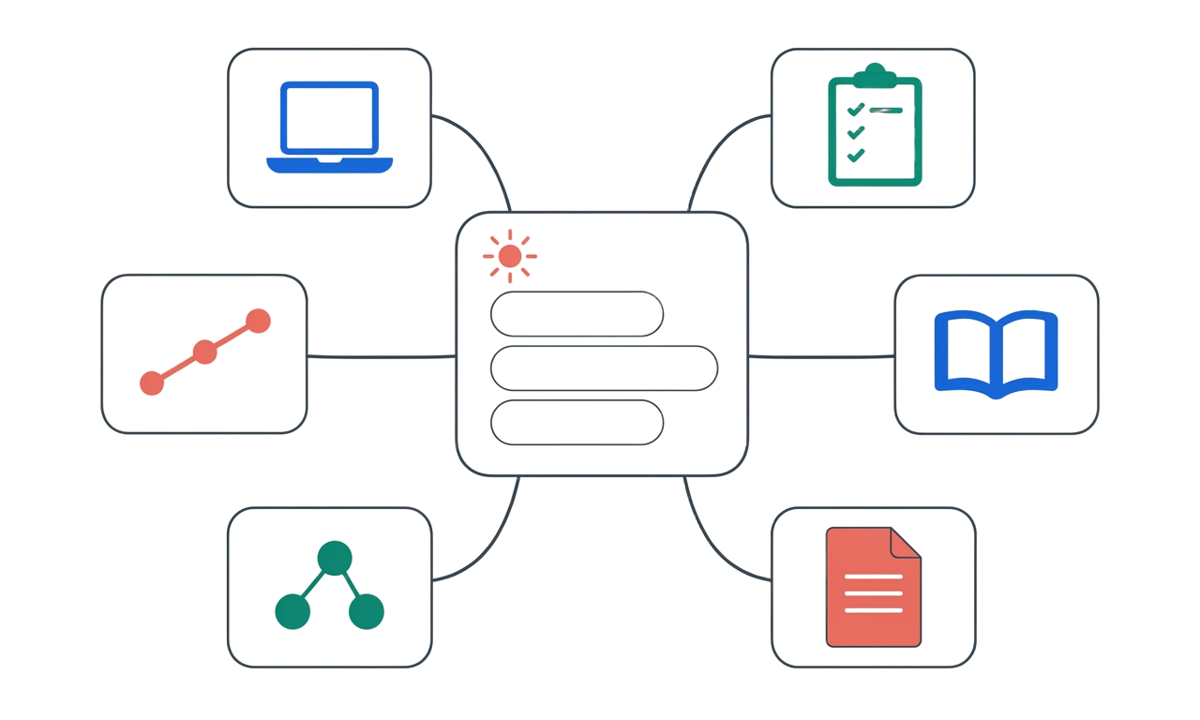
An AI assistant connected by lines to assets, tickets, contracts, budgets, projects and knowledge.
CONNECTED INTELLIGENCE

Built into the work. Not bolted on.

One assistant, the same linked records, and AI capabilities across the business of IT.

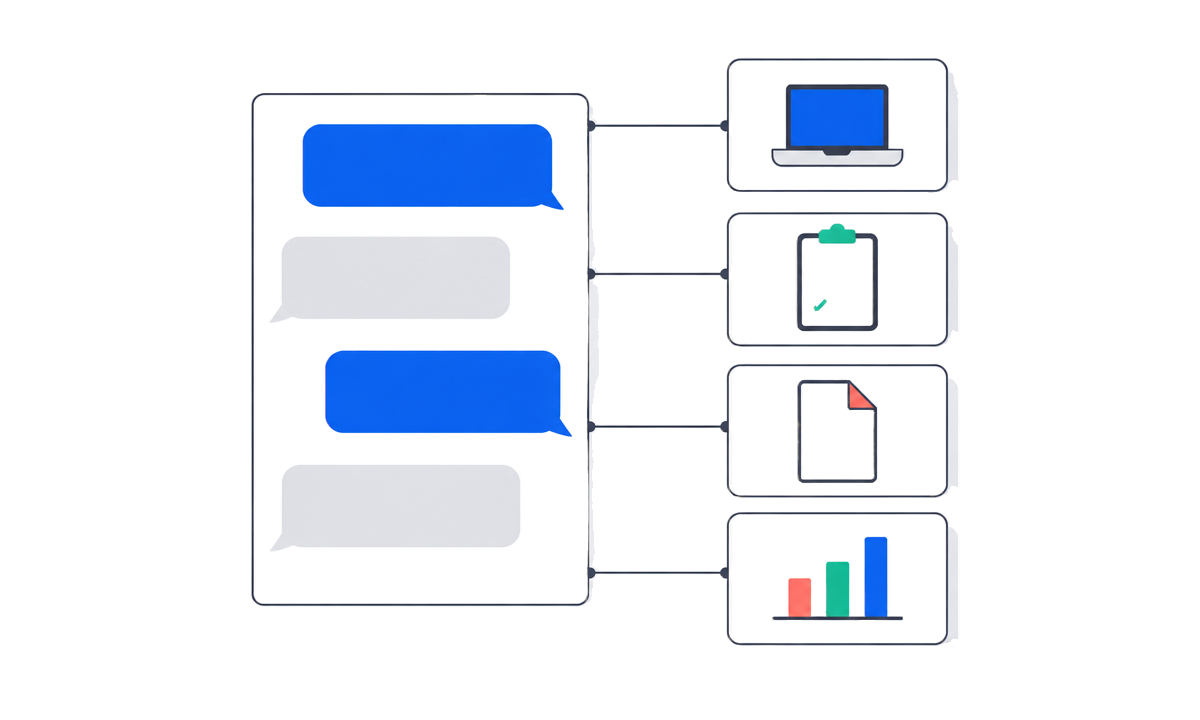
Connected records feeding an AI conversation.
01 / ASK IT UNISON AI

Ask across your whole IT operation.

Find answers across tickets, assets, contracts, suppliers, documents, knowledge, projects and risks in plain language. Every answer links to the records it used, under your own permissions.

  • Cross-module questions in one conversation
  • Answers linked to source records
  • Only records the person asking may see
EXAMPLE QUESTION

“Which contracts renew in the next 90 days?”
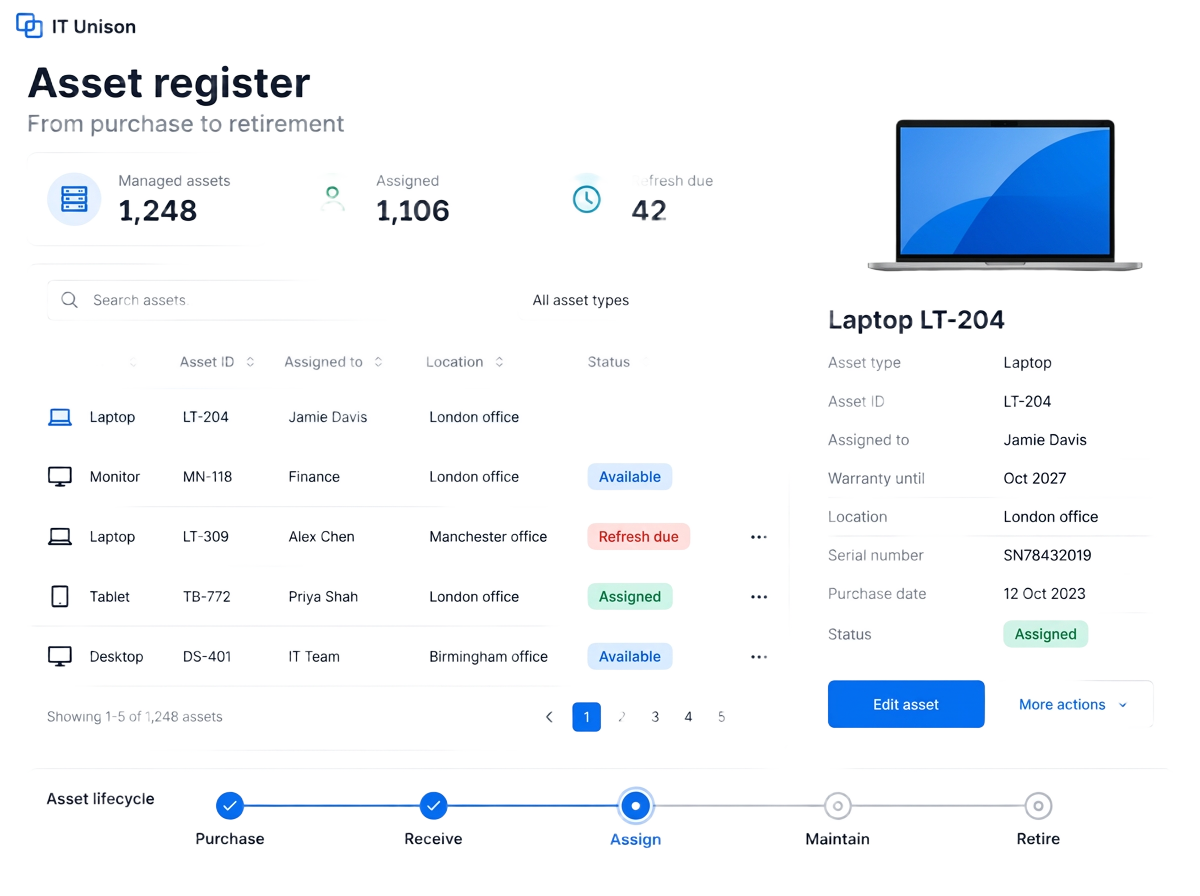
Assets: Asset register, laptop details and purchase-to-retirement lifecycle
Illustrative assets preview · Sample data
02 / PROACTIVE SUGGESTIONS

See what needs attention before you ask.

Surface critical tickets, upcoming renewals, unused licence seats and expiring warranties. Suggestions are ranked by urgency and linked to the records behind them.

  • Critical tickets and upcoming contract renewals
  • Unused licence seats and expiring warranties
  • Urgency-ranked suggestions with record links
EXAMPLE QUESTION

“Which laptops are out of warranty?”

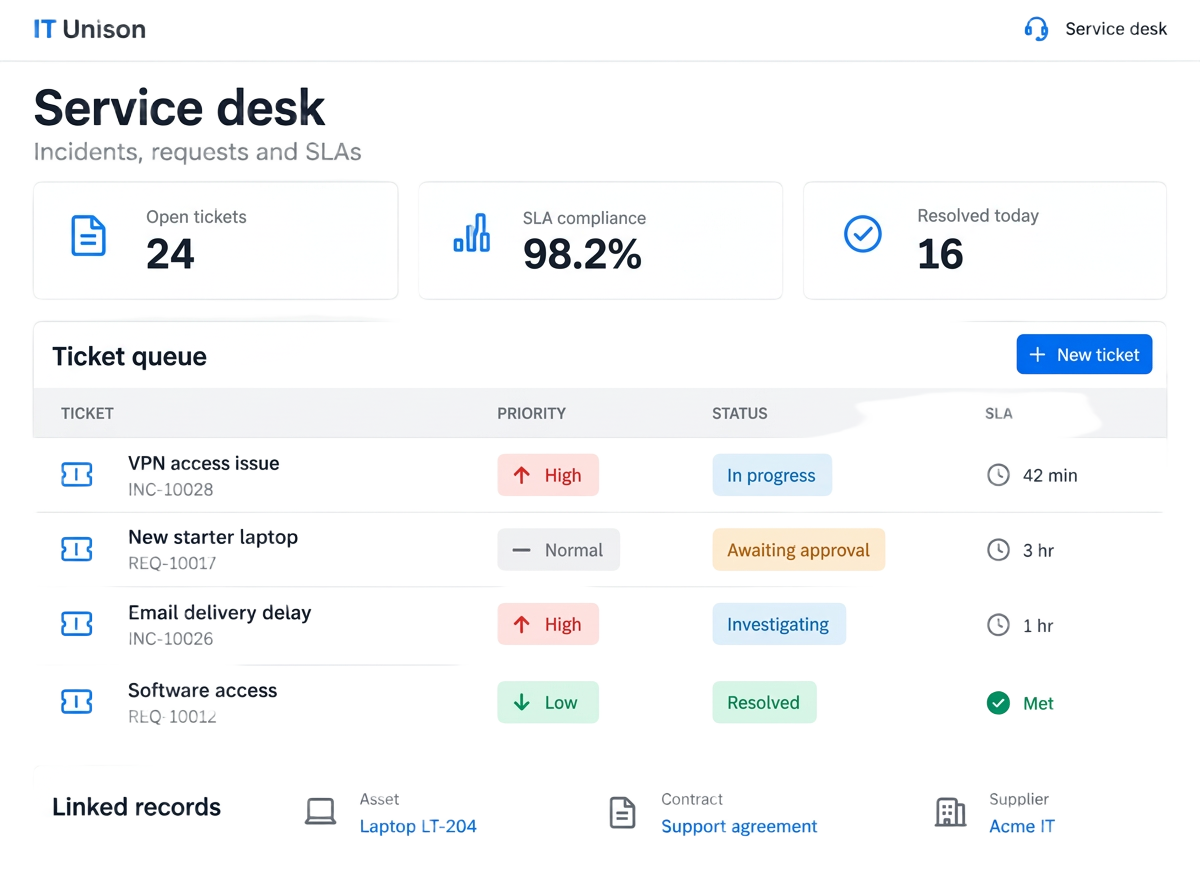
Service desk: Ticket queue with priorities, SLA deadlines and linked asset, contract and supplier records
Illustrative service desk preview · Sample data
03 / SERVICE DESK & KNOWLEDGE

Give agents the right starting point.

Triage AI suggests a category and priority for incoming tickets. Knowledge appears in tickets and AI answers, helping employees find an answer before raising the same request again.

  • AI category and priority suggestions
  • Knowledge surfaced in tickets and AI answers
  • Employee self-service through the AI assistant
EXAMPLE QUESTION

“Find the knowledge article for this request.”

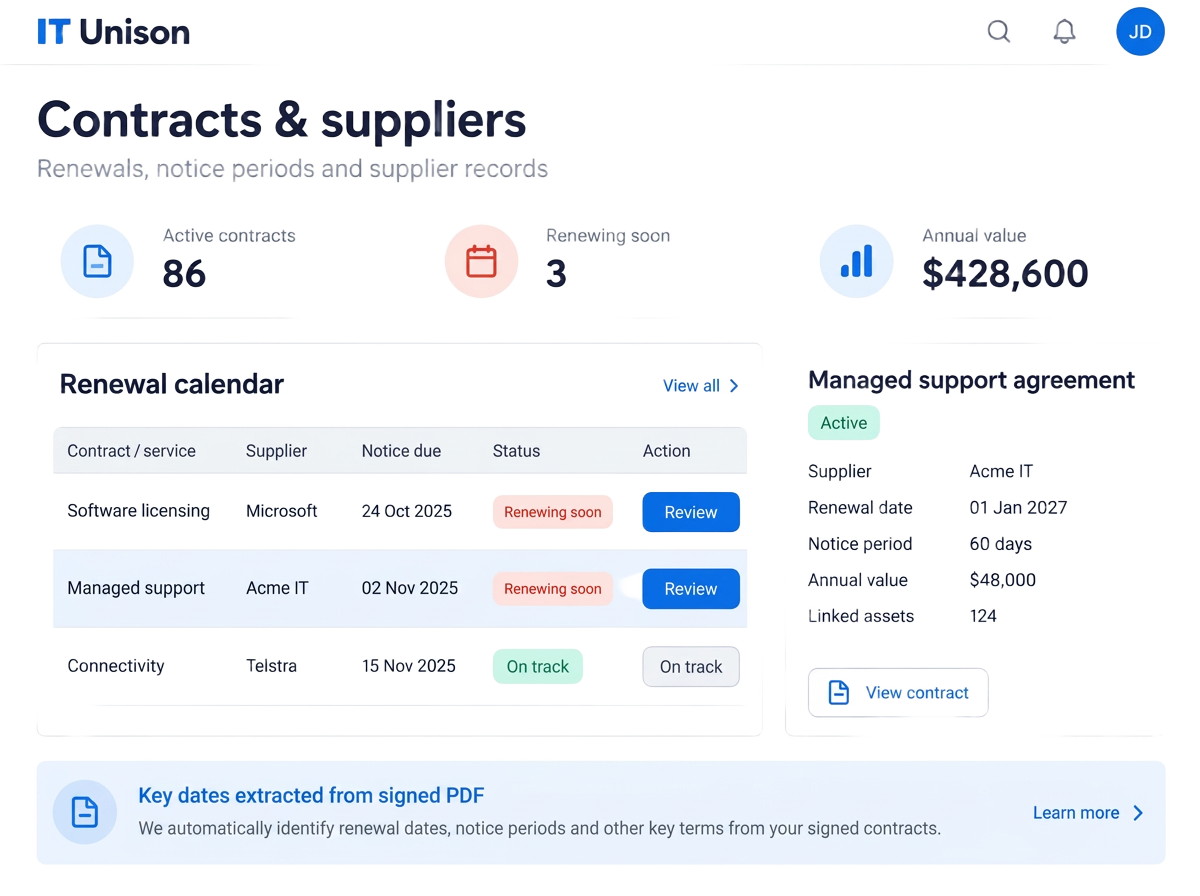
Contracts & suppliers: Renewal calendar, supplier agreement and extracted contract dates
Illustrative contracts & suppliers preview · Sample data
04 / CONTRACT DOCUMENT EXTRACTION

From signed PDF to usable contract details.

Upload a signed contract PDF and let AI extract the key details rather than retyping them. Review the draft before creating or changing a record.

  • Extract key dates, values and parties
  • Keep details connected to the supplier and contract
  • Human confirmation before the record changes
EXAMPLE QUESTION

“Extract the key details from this contract.”

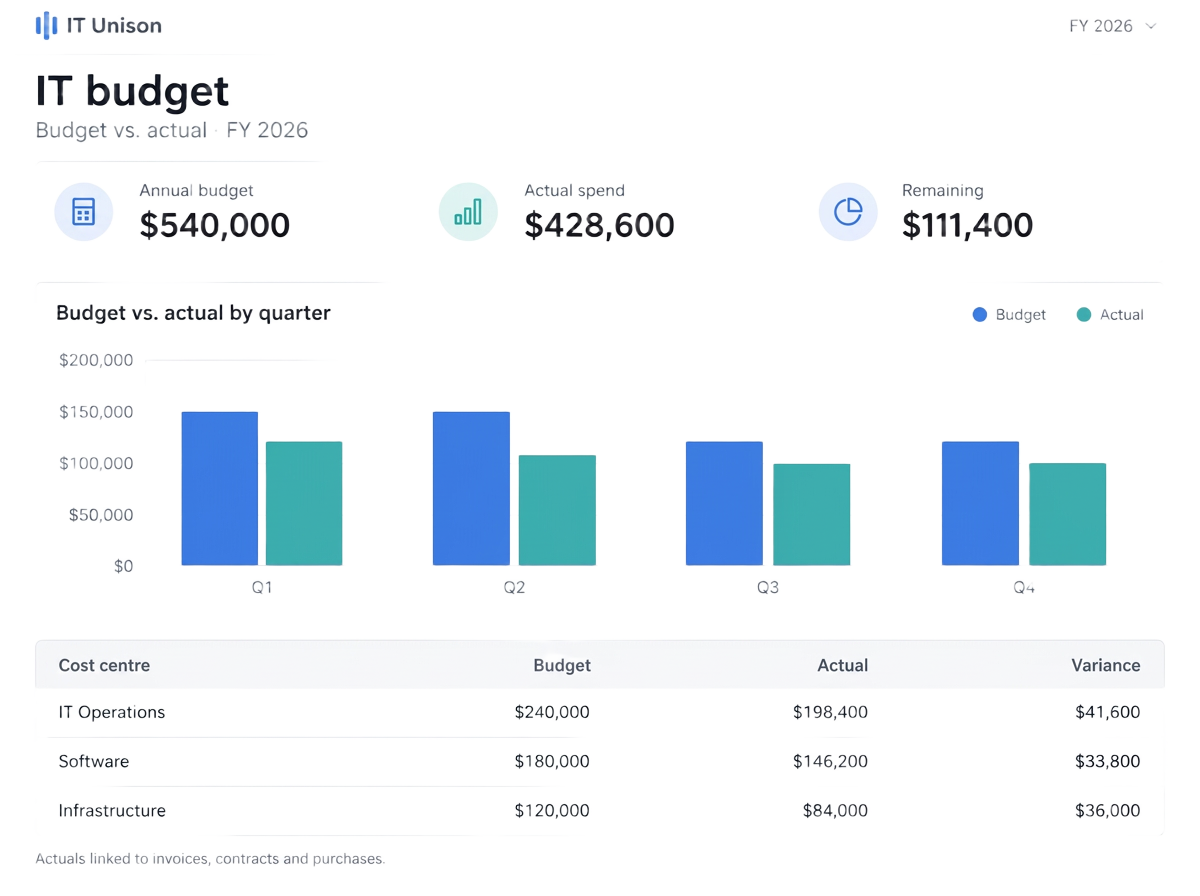
IT budget: Quarterly budget-versus-actual chart and cost-centre spending
Illustrative it budget preview · Sample data
05 / BUDGET ANALYSIS

Ask better questions about IT spend.

Use AI budget analysis alongside actuals from invoices, contracts and purchases. See the numbers in their cost-centre context and keep spending decisions with the people responsible for them.

  • AI analysis of budget and spend
  • Actuals connected to invoices, contracts and purchases
  • Estimates labelled as estimates
EXAMPLE QUESTION

“Where are we over budget this quarter?”

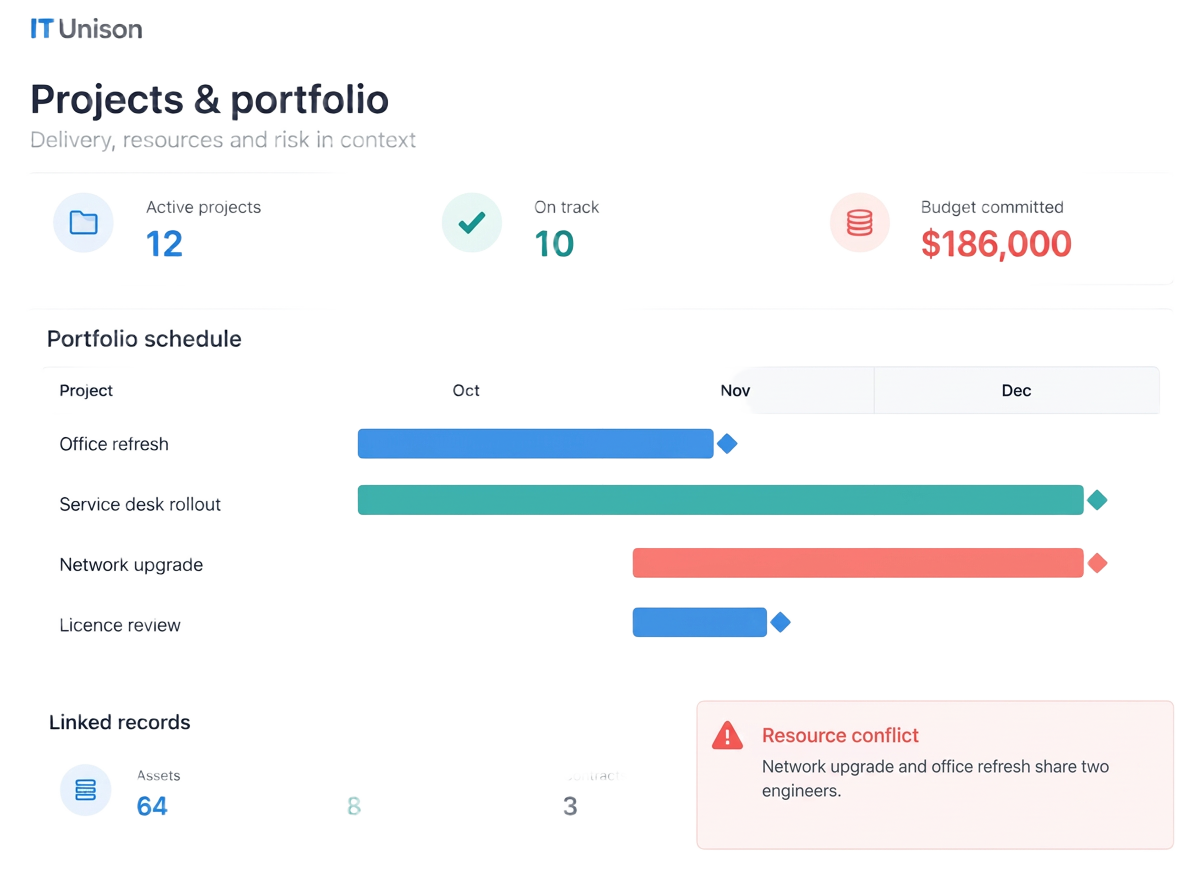
Projects & portfolio: Portfolio Gantt schedule with milestones, resource risks and linked records
Illustrative projects & portfolio preview · Sample data
06 / PROJECTS & PORTFOLIO

Turn live project data into an executive brief.

Portfolio AI flags at-risk projects, resource conflicts and budget exposure. Executive briefs draw on live project data rather than a separate reporting spreadsheet.

  • On-demand portfolio executive briefs
  • At-risk projects and resource conflicts
  • Budget exposure across the portfolio
EXAMPLE QUESTION

“Which projects are behind schedule?”

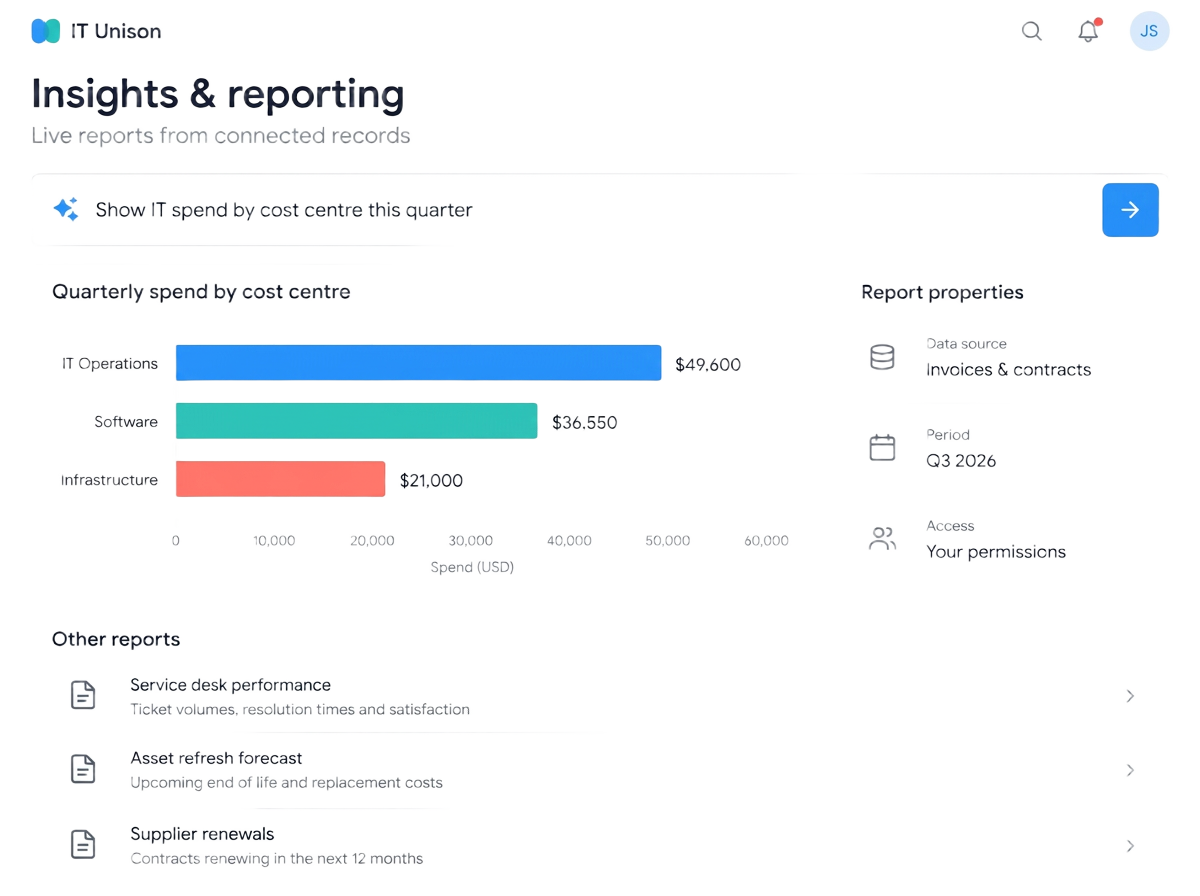
Insights & reporting: Plain-English report request and quarterly spending chart
Illustrative insights & reporting preview · Sample data
07 / INSIGHTS & REPORTING

Describe the report. AI drafts the chart.

Ask for a report in plain English. AI drafts a chart from live data under your permissions, ready for review, saving, sharing and export.

  • Plain-English report requests
  • Live, permission-aware chart drafts
  • Save, share and export reports as CSV or PDF
EXAMPLE QUESTION

“Show quarterly IT spend by cost centre.”

HUMAN CONTROL

Your permissions. Your decisions.

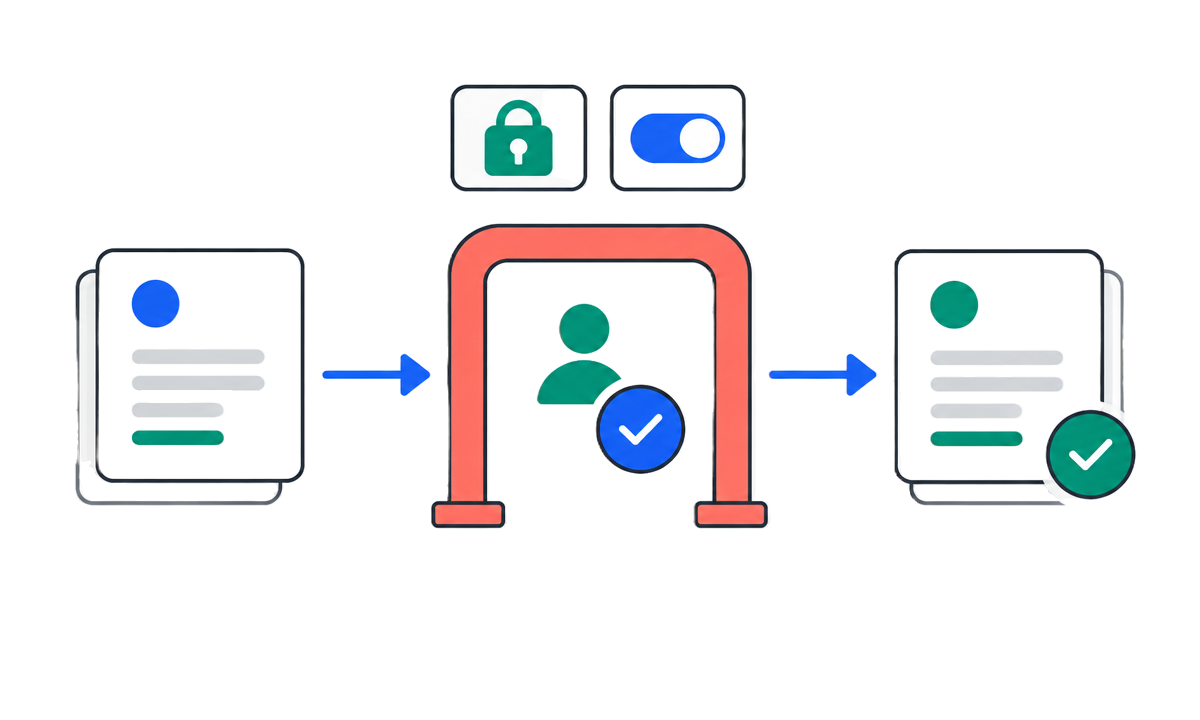
AI can read, summarize and draft. Approvals, record changes and consequential decisions stay with people.

AI drafts and source records pass through human confirmation with permission controls.

Your permissions

AI sees only the records the signed-in person is allowed to see.

Checkable sources

Every answer links to the source records it used.

No silent changes

AI reads, summarizes and drafts. A person confirms before anything is created or changed.

Clear estimates

Estimates are labelled as estimates, not presented as confirmed actuals.

READ. SUMMARIZE. DRAFT.

A useful first draft.
A person makes the final call.

Long ticket threads, incident timelines and project status are practical places to use summaries. Replies, knowledge articles, purchase justifications and executive briefs are useful drafting tasks. A person reviews, edits and confirms the result.

Sources: IT Unison Website Copy — AI, Service desk, Contracts, IT budget, Projects & portfolio, Knowledge and Insights & reporting; supplied article “AI in the service desk: what to automate and what to keep human”. Examples are illustrative questions, not live answers.

LET’S BRING IT TOGETHER

See your whole IT operation
on one screen.

A 30-minute demo, built around your tools and headcount.